Delete Your Account
Here's how to delete your EllieTalk account and all of your data. Deleting your account permanently removes your profile, learning data, recordings, and subscription record — and cannot be undone.
EllieTalk · ActuallyWorks Co., Ltd.
Delete from inside the app
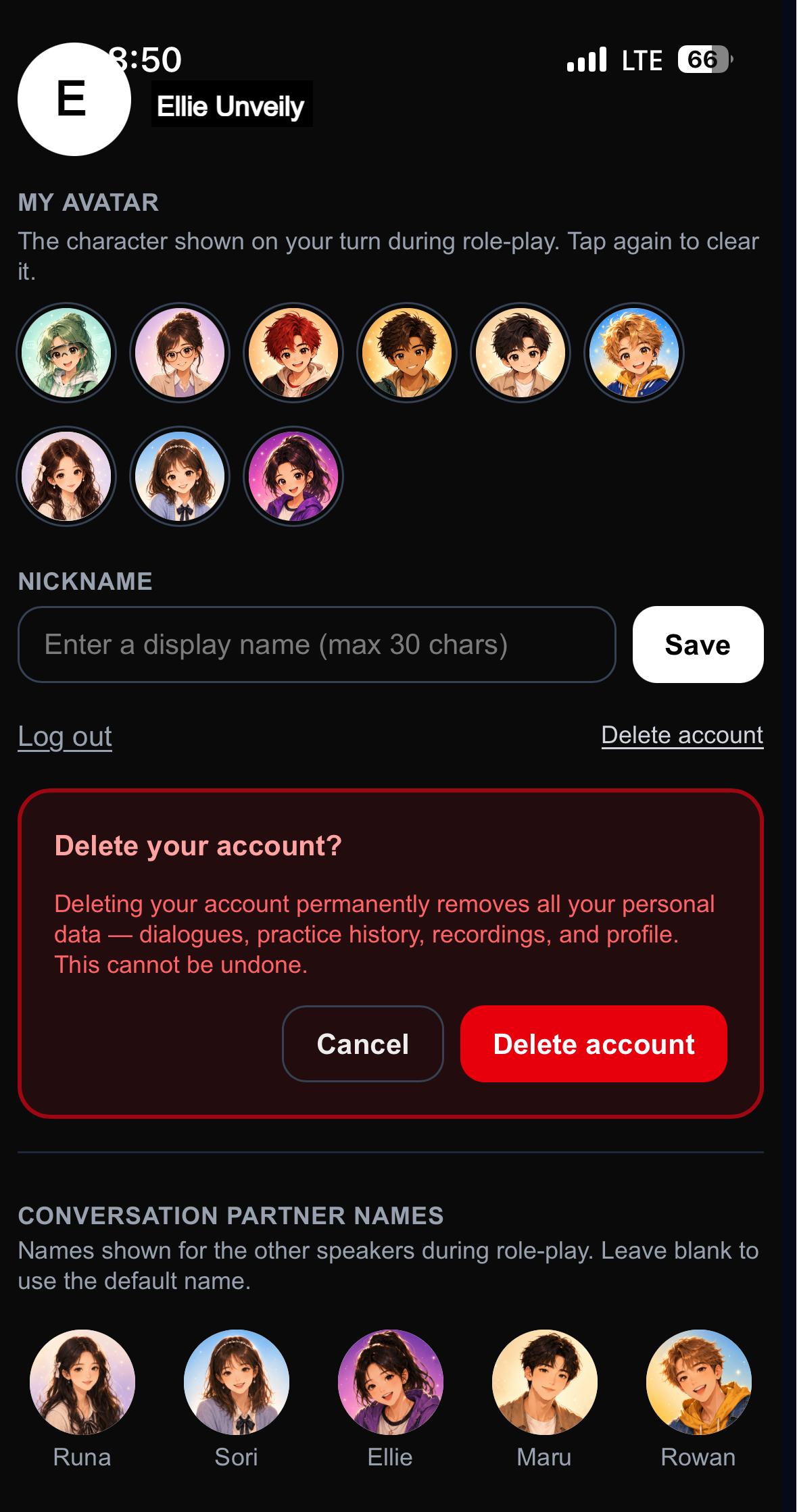
On the Settings screen in the EllieTalk app, tap "Delete account," then tap "Delete account" again in the confirmation box. Your account is deleted immediately.
Already removed the app?
If you've uninstalled the app and can't use the steps above, request deletion below using the email you signed up with. We'll verify and delete your account and data.
The verification email is sent from theunveily.com. Since the code only reaches the real owner of the email, no one can request deletion of someone else's account.
What's deleted / retained
Deleted immediately
- Account, profile, nickname
- Extracted dialogues, practice history, voice recordings
- Personal info such as date of birth (including encrypted records)
- Social-login connection and subscription record
Retained by law (minimized)
- E-commerce transaction/payment records: 5 years as required by law
- Recording backup: auto-deleted within 7 days as a safety net
After deletion you can sign up again anytime with the same account — you'll start fresh (previous data is not recoverable).
EllieTalk does not send confirmation emails for sign-up or deletion.
⚠️ About your subscription billing
When you delete your account, your Google Play subscription is canceled automatically (billing stops). App Store (iOS) subscriptions cannot be canceled automatically due to Apple's policy — to stop billing, cancel it yourself in your App Store subscription settings. (You keep access until the end of the period you've already paid for.)
Disconnecting social login (optional)
Note that this disconnects EllieTalk from your social account — it does not delete your Apple, Google, Kakao, or LINE account itself. If you signed in with Kakao, LINE, or Apple (on iOS), the connection is revoked automatically when you delete your account; with Google, or Apple on Android, it is not. You can check whether the connection remains, and remove it yourself, in each service's connected-apps list — Apple: Settings → (your name) → "Sign in with Apple" / Google: Account → Security → Third-party apps & services / Kakao: Kakao Account → Connected services / LINE: Settings → Linked apps.